

Column Configuration
Set Column Default
Each column in the CRM board can be configured to open a specific app when a workspace card is clicked.
By Default:
- Leads has all the workspaces.
- Bid Management opens the Estimate app.
- Project Delivery opens Dashboard.
- Project Control opens Job Costing.
- Archive has all the archived projects.
To Change the Default App:
- Click the
 icon on the top of a column.
 - Choose an app from the dropdown:
- Dashboard

- Workspace Details
- Kanban

- Estimate

- Takeoff

- Gantt

- Job Costing

- Dashboard
- Click Save.
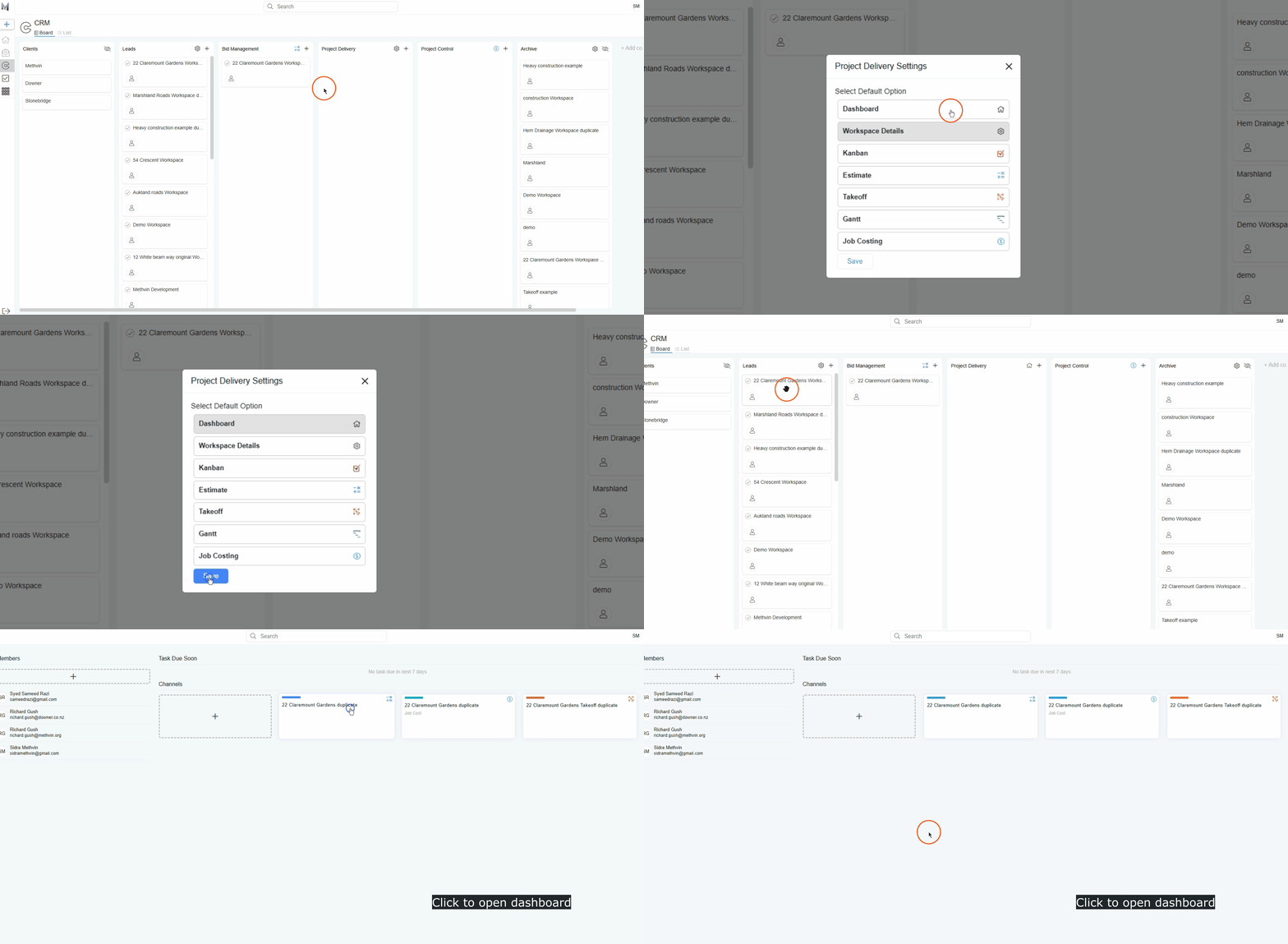
If the selected app doesn’t exist in the workspace yet, a window will appear allowing you to create it.
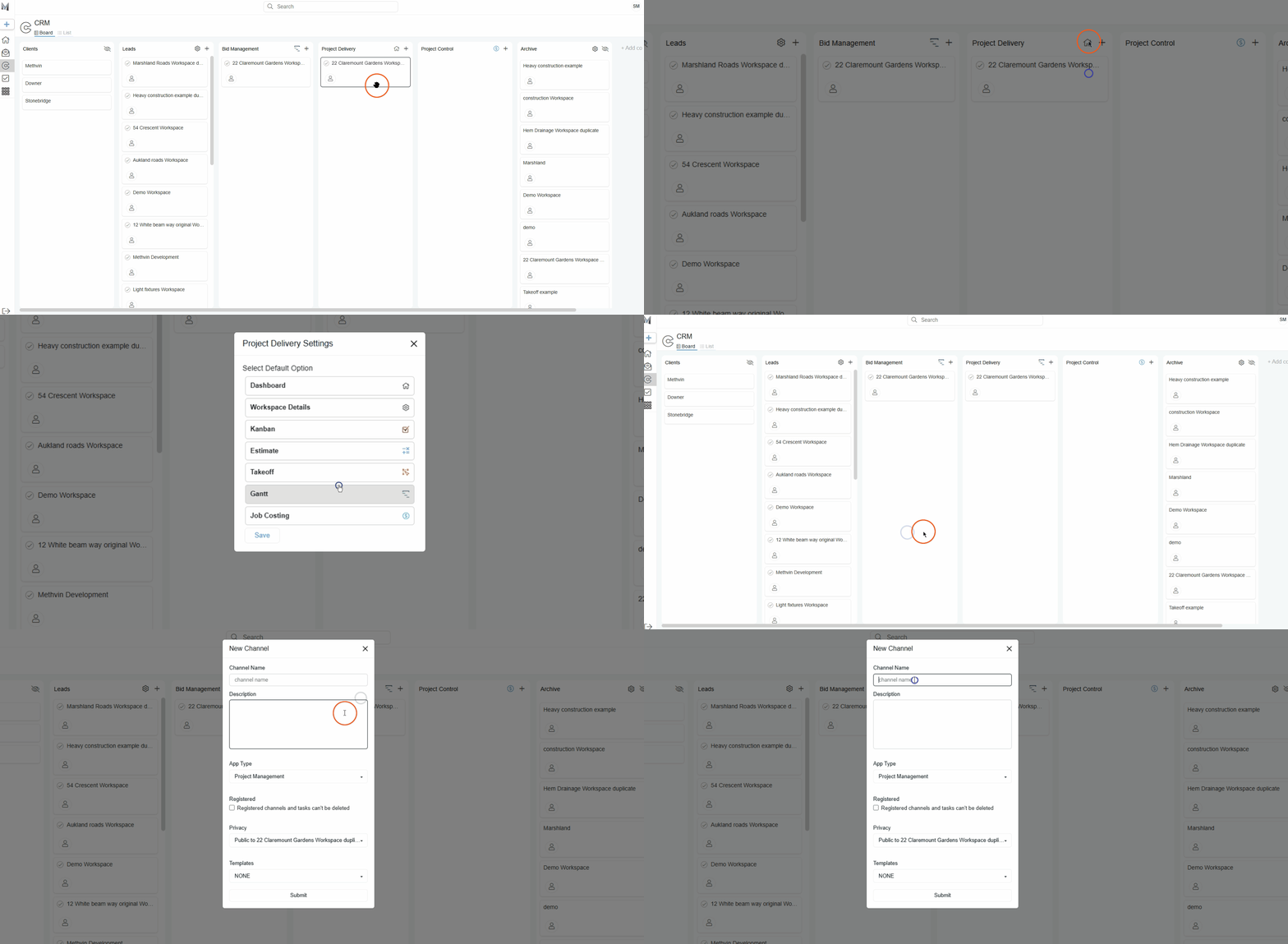
For Agile and Gantt Apps:
When the card is clicked, you’ll be prompted to select which Agile or Gantt project to open, since multiple can exist in a single workspace.
Last updated on