

Hide/Unhide
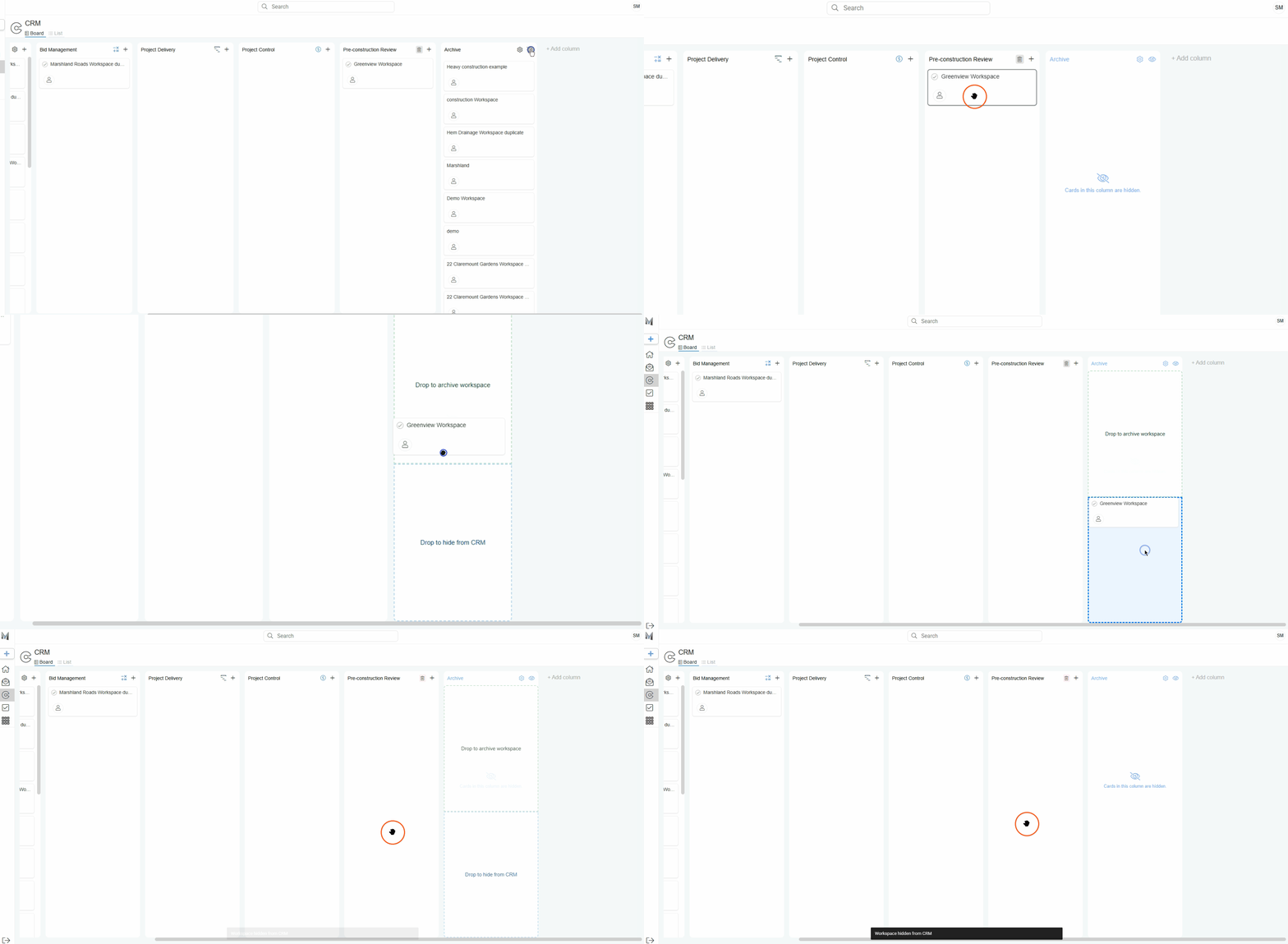
Hide Workspace Cards
To hide a workspace, drag it to the Archive column and drop it in the Hide from CRM box.
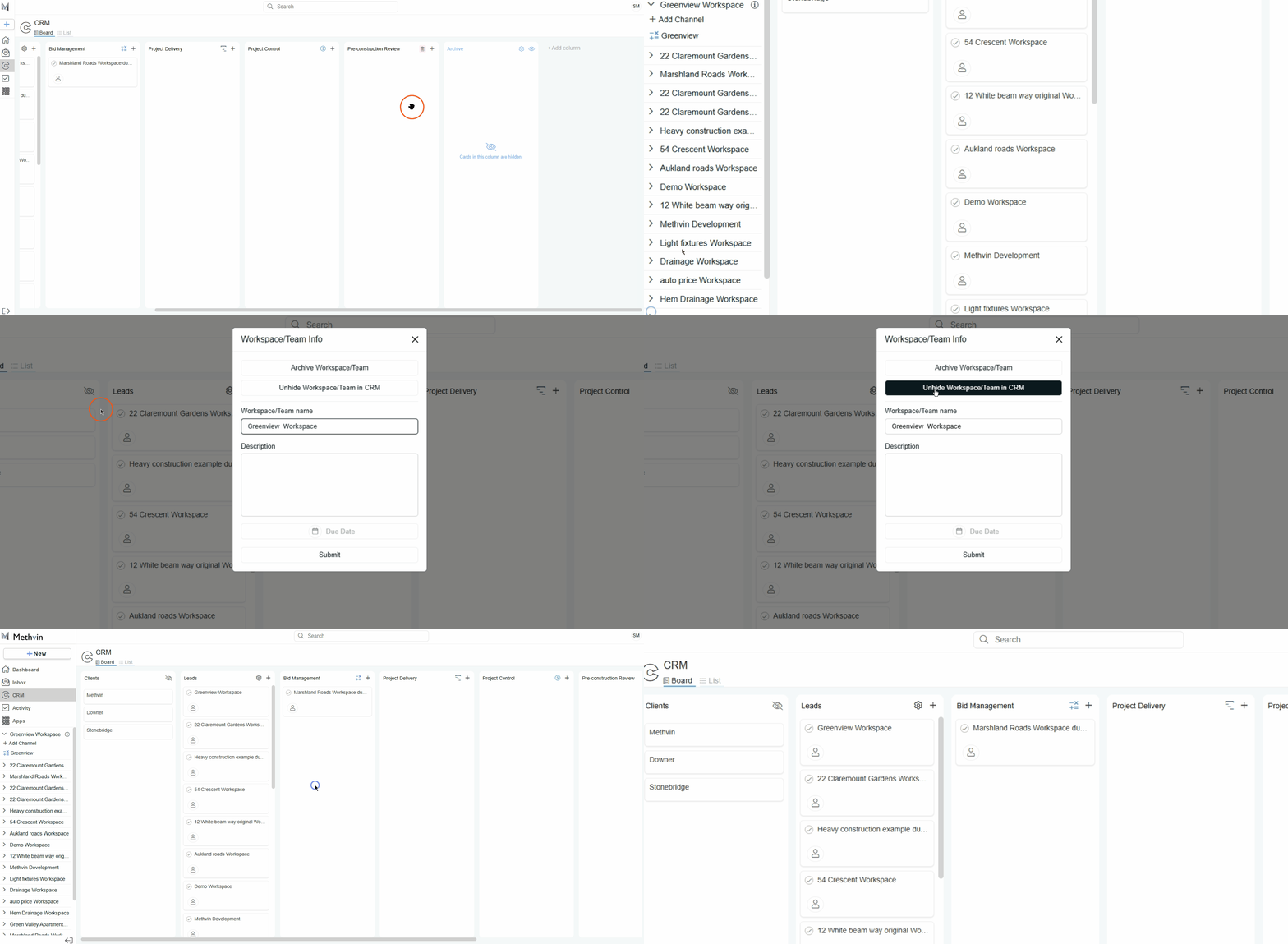
Unhide Workspace Cards
To unhide, go to the side panel of the portal homepage and:
- Click the “info” icon next to the workspace name.
- In the panel that opens, click “Unhide Workspace/Team from CRM”.
Last updated on