

User interface
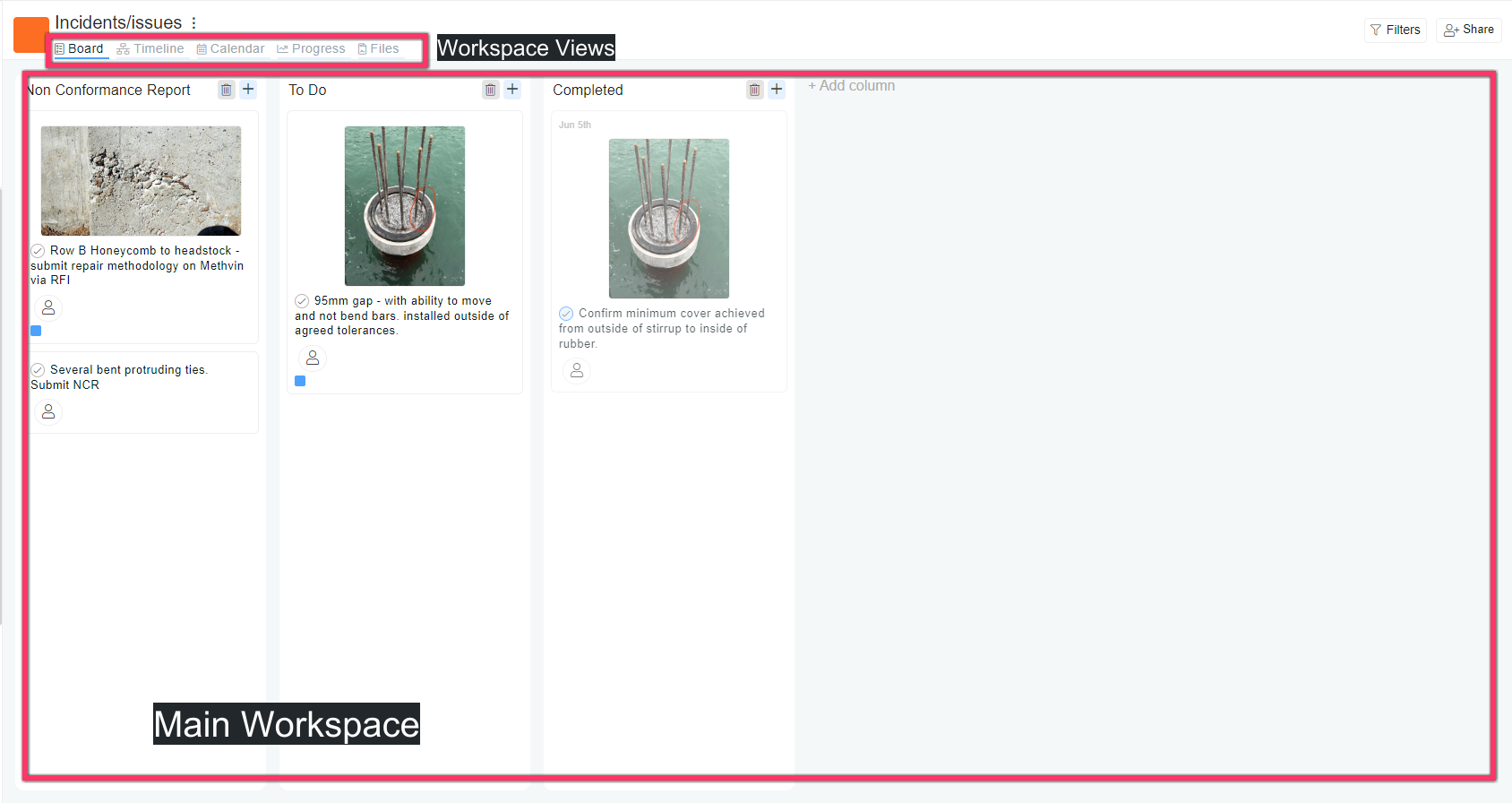
Main Workspace area
- Channel Board: By default, the view is set to the Board layout, where you can create and organize tasks in columns.
- At the top of the workspace area, you can switch between various views:
- Board: Displays tasks in a Kanban-style board format.
- Timeline: Shows tasks along a timeline, helping with scheduling and deadlines.
- Calendar: Visualizes tasks based on due dates in a calendar format.
- Progress: Tracks the completion status of tasks and their progress over time.
- Files: Allows you to manage and store files related to the channel directly within the app.
Filters and Share
- On the top right, you have the following options:
- Filters: Allows you to filter tasks or content within the channel by various criteria (such as status, assignee, tags or due date).
- Share: Lets you share the current channel with others.
Last updated on